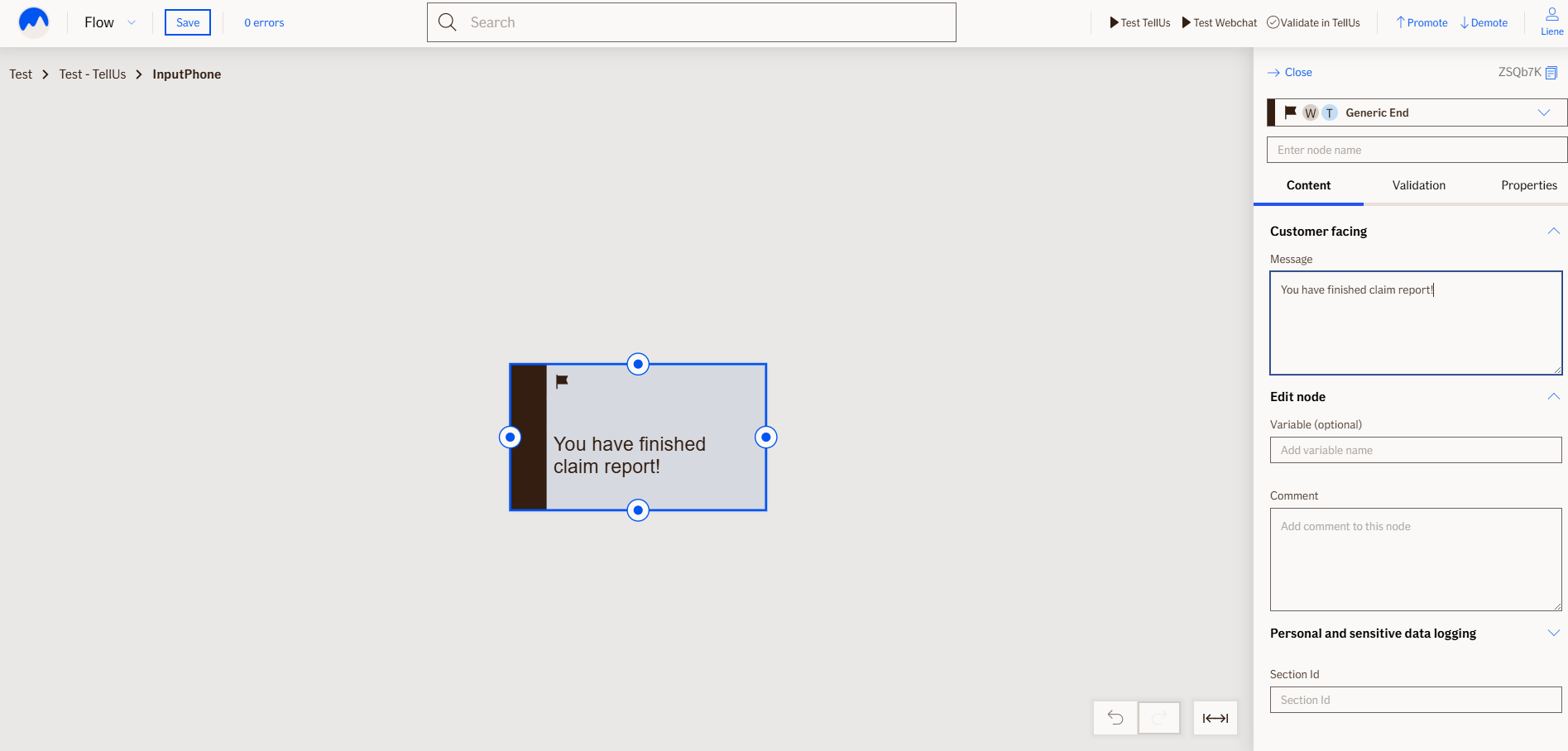
End Of Conversation Node
The EndOfConversationNode marks the end of the claim form or webchat flow. It is a non-visual node that doesn’t show anything to the user.
Use Case
Use the EndOfConversationNode at the very end of your form or conversation flow, when:
- All questions have been answered
- No more input is needed from the user
- You want to close the interaction
UI Examples
- TellUs
- WebChat
Behavior
- Point of no return: After this node, conversation cannot be restarted and answers cannot be changed.
Node Metadata
| Property | Description |
|---|---|
| Node class | EndOfConversationNode |
| MessageType | 16 |
| CanBeEdited | False |
| CanBeProcessedOnce | True |
| RequireUserResponse | YesAutomaticResponse |
Input Properties
| Property | Description |
|---|---|
| defaultValidationMessage | The default error message shown when the input is invalid or missing. This is used if no custom validation message is provided.
|
| sectionId | Groups this node visually under a specific section in TellUs. When multiple nodes share the same |
| defaultValue | The initial value that is prefilled into the input field when the node is rendered. Useful for suggesting defaults or pre-populating known data. |
| isRequired | Determines whether the user must provide a value before continuing. If set to
|
| isRequiredValidationMessage | The error message shown when a required field is left empty. This overrides the default validation message when
|
Output Properties
No output properties.
Editor Example
This link opens a prebuilt flow using this node in context. You can inspect how it's configured, how it's connected, and how it behaves in a real editor environment.