Input Phone Node
The InputPhoneNode provides an input field for users to enter their phone number. It includes a dropdown for selecting a country code, ensuring the phone number is formatted and validated according to the selected country's standards. This node is useful for collecting accurate and standardized phone number data.
Use Case
Use the InputPhoneNode when you need to collect phone number from the customer.
UI Examples
- TellUs
- WebChat
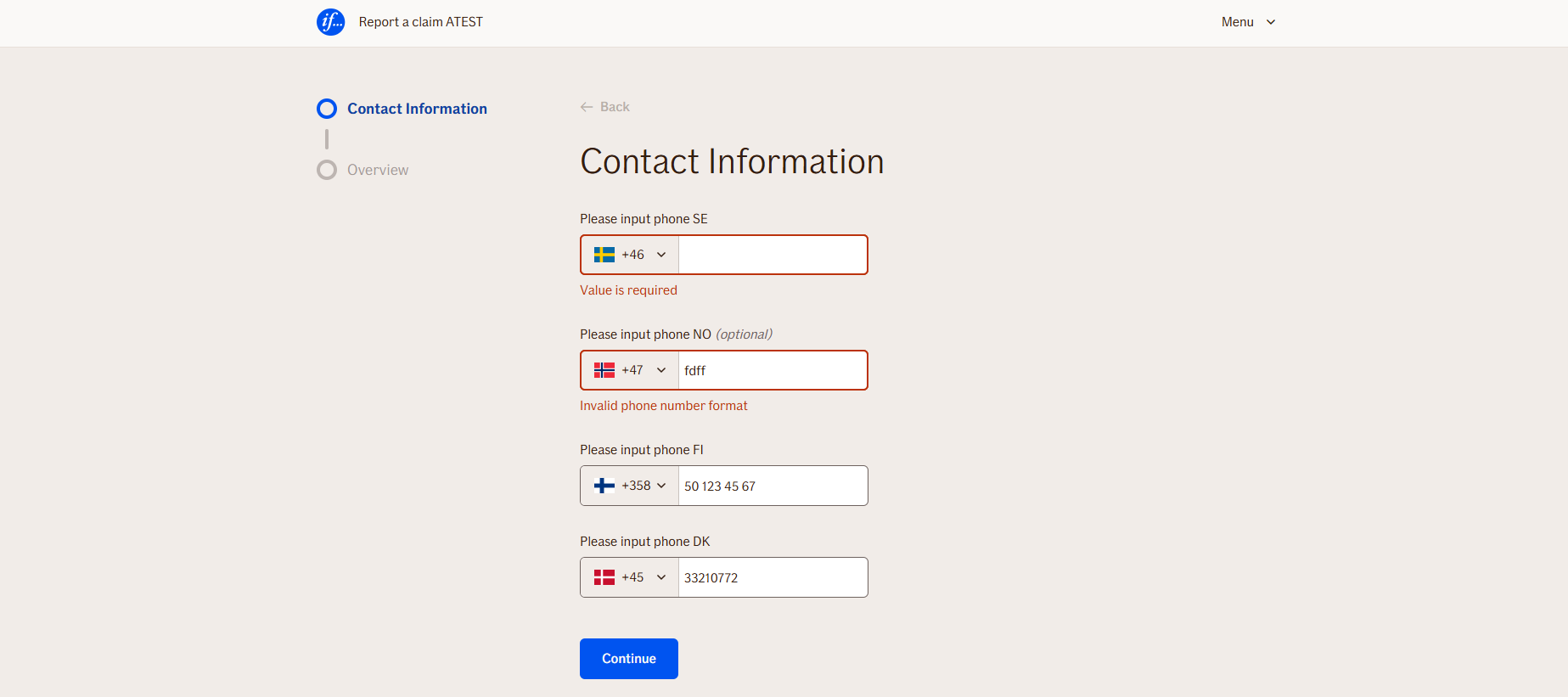
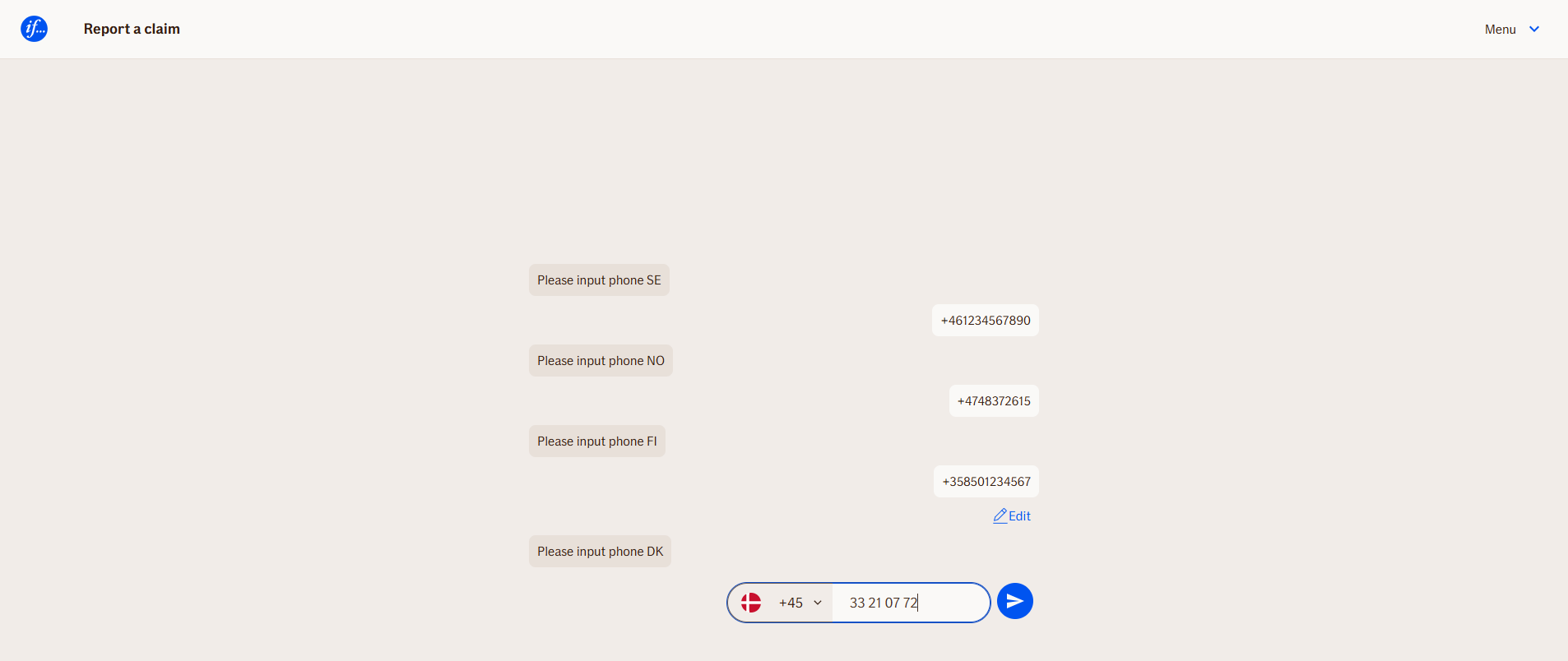
Behavior
- Blocking: The node waits for the user to type and submit a response
- Produces output: Stores the input in combined output variable
displayValue, containing country code extension and phone number - Renders: dropdown, combined with input field
- Supports validation: Can be marked as required/optional and constrained by regex pattern. Phone number format validation is performed both - on frontend and backend.
- Moves to the next node after user submission
Node Metadata
| Property | Description |
|---|---|
| Node class | InputPhoneNode |
| MessageType | 40 |
| CanBeEdited | True |
| CanBeProcessedOnce | False |
| RequireUserResponse | Yes |
Input Properties
| Property | Description |
|---|---|
| defaultCountry | Defines pre-selected country code. Allowed values allways appear on top of the country code list.
|
| maxLengthValidationMessage | Used only if additional Length validation is set. Should be left empty most cases, as phone number format validation covers everything.
|
| inputSize | TODO: Add description.
|
| defaultValidationMessage | The default error message shown when the input is invalid or missing. This is used if no custom validation message is provided.
|
| sectionId | Groups this node visually under a specific section in TellUs. When multiple nodes share the same |
| defaultValue | The initial value that is prefilled into the input field when the node is rendered. Useful for suggesting defaults or pre-populating known data. |
| isRequired | Determines whether the user must provide a value before continuing. If set to
|
| isRequiredValidationMessage | The error message shown when a required field is left empty. This overrides the default validation message when
|
Output Properties
| Property | Description |
|---|---|
| displayValue | Combined country code extension and phone number. For example - |
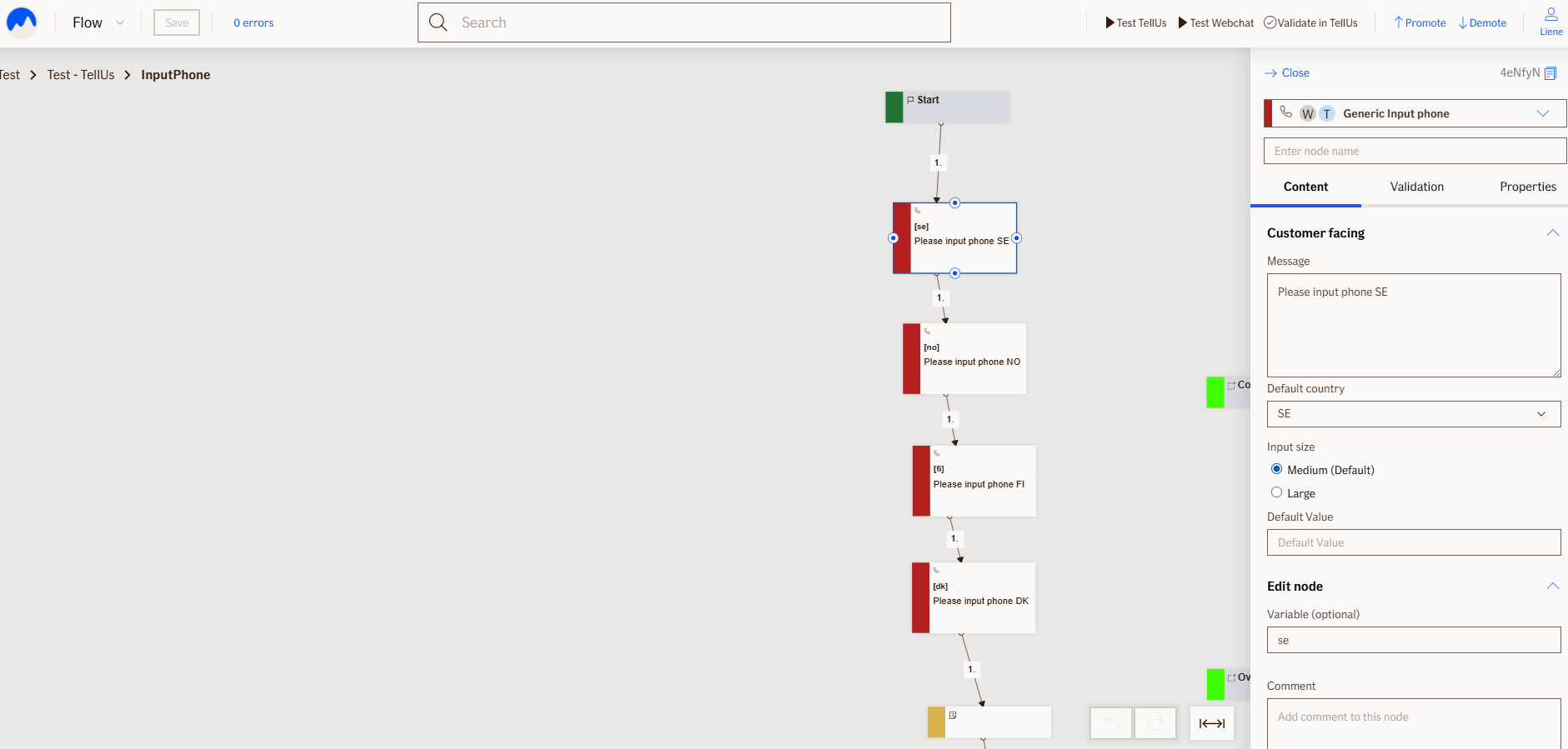
Editor Example
This link opens a prebuilt flow using this node in context. You can inspect how it's configured, how it's connected, and how it behaves in a real editor environment.