Save Draft Node
The Save Draft node saves the current flow state as a technical draft - an internal system checkpoint that captures the customer's progress and responses at a specific point in the process. This is not a customer-facing feature rather, it's used by the system to preserve state for internal processing or multi-step workflows.
Node is used exclusively for TellUs. This saves a technical draft, not a customer-controlled pause/resume draft.
Use Case
Use the Save Draft node when:
- You need to create an internal system checkpoint (technical draft) at a specific point in a flow for process recovery or auditing purposes.
- You want to preserve the current state of collected data for multi-step workflows where the process may be resumed or submitted in stages.
- You need to maintain a record of the flow state at a specific business process milestone (for example, after collecting incident information but before collecting salary information in a two-step claims process).
UI Examples
- TellUs
- WebChat
Only output, no UI
Not applicable
Behavior
- Blocking: the node does not block the flow. It automatically saves the technical draft in the background
- Produces output: stores draft metadata (technical checkpoint) for internal system use or multi-step process recovery
- Supports validation: no user validation required. The technical draft is automatically captured based on the current flow state
- Moves to the next node immediately after the draft is saved, allowing the flow to proceed to the next step
Node Metadata
| Property | Description |
|---|---|
| Node class | SaveDraftNode |
| MessageType | 47 |
| CanBeEdited | False |
| CanBeProcessedOnce | False |
| RequireUserResponse | No |
Input Properties
| Property | Description |
|---|---|
| reporterId | Reporter/user ID. |
| defaultValidationMessage | The default error message shown when the input is invalid or missing. This is used if no custom validation message is provided.
|
| sectionId | Groups this node visually under a specific section in TellUs. When multiple nodes share the same |
| defaultValue | The initial value that is prefilled into the input field when the node is rendered. Useful for suggesting defaults or pre-populating known data. |
| isRequired | Determines whether the user must provide a value before continuing. If set to
|
| isRequiredValidationMessage | The error message shown when a required field is left empty. This overrides the default validation message when
|
Output Properties
| Property | Description |
|---|---|
| draftId | Saved draft ID
|
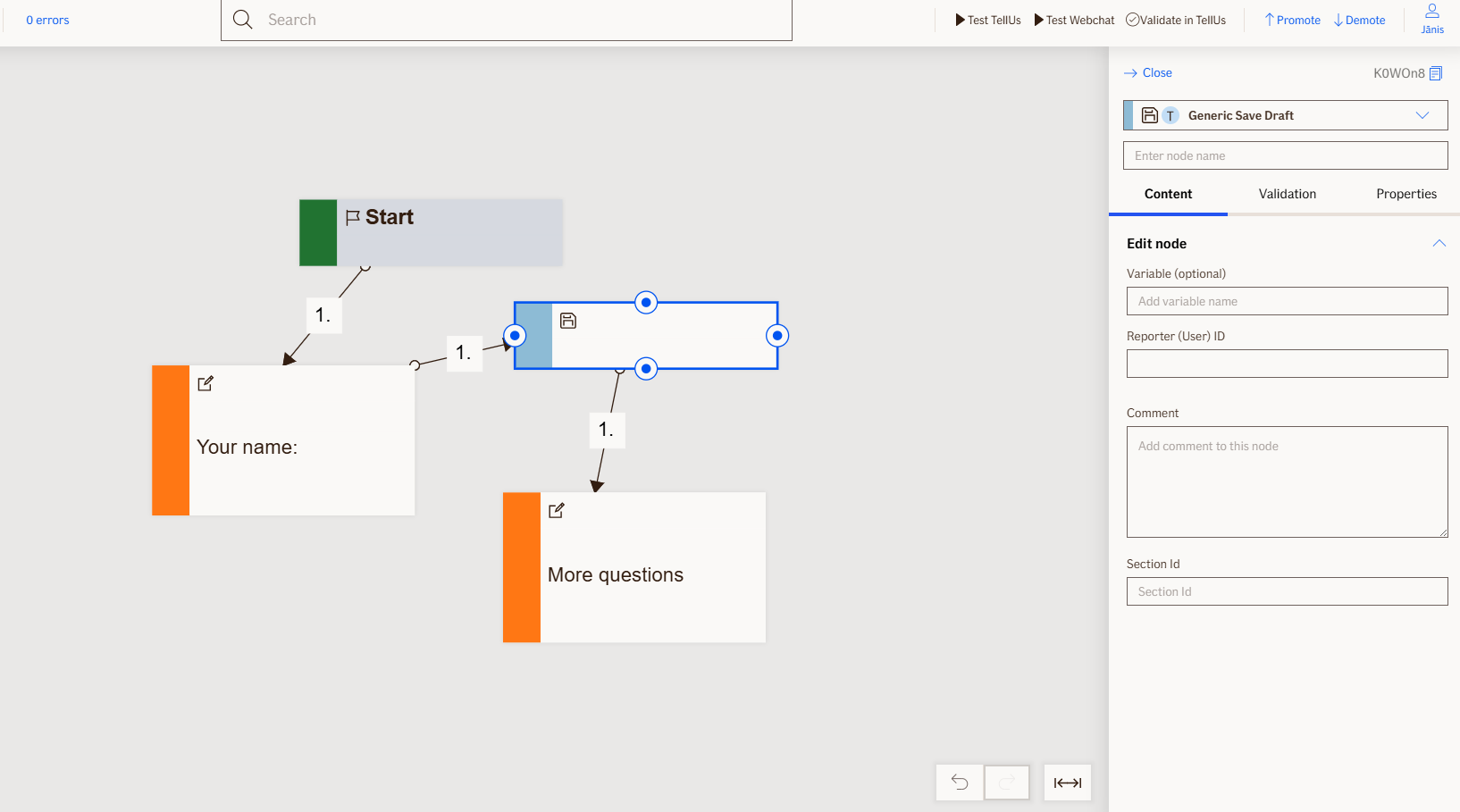
Editor Example
This link opens a prebuilt flow using this node in context. You can inspect how it's configured, how it's connected, and how it behaves in a real editor environment.