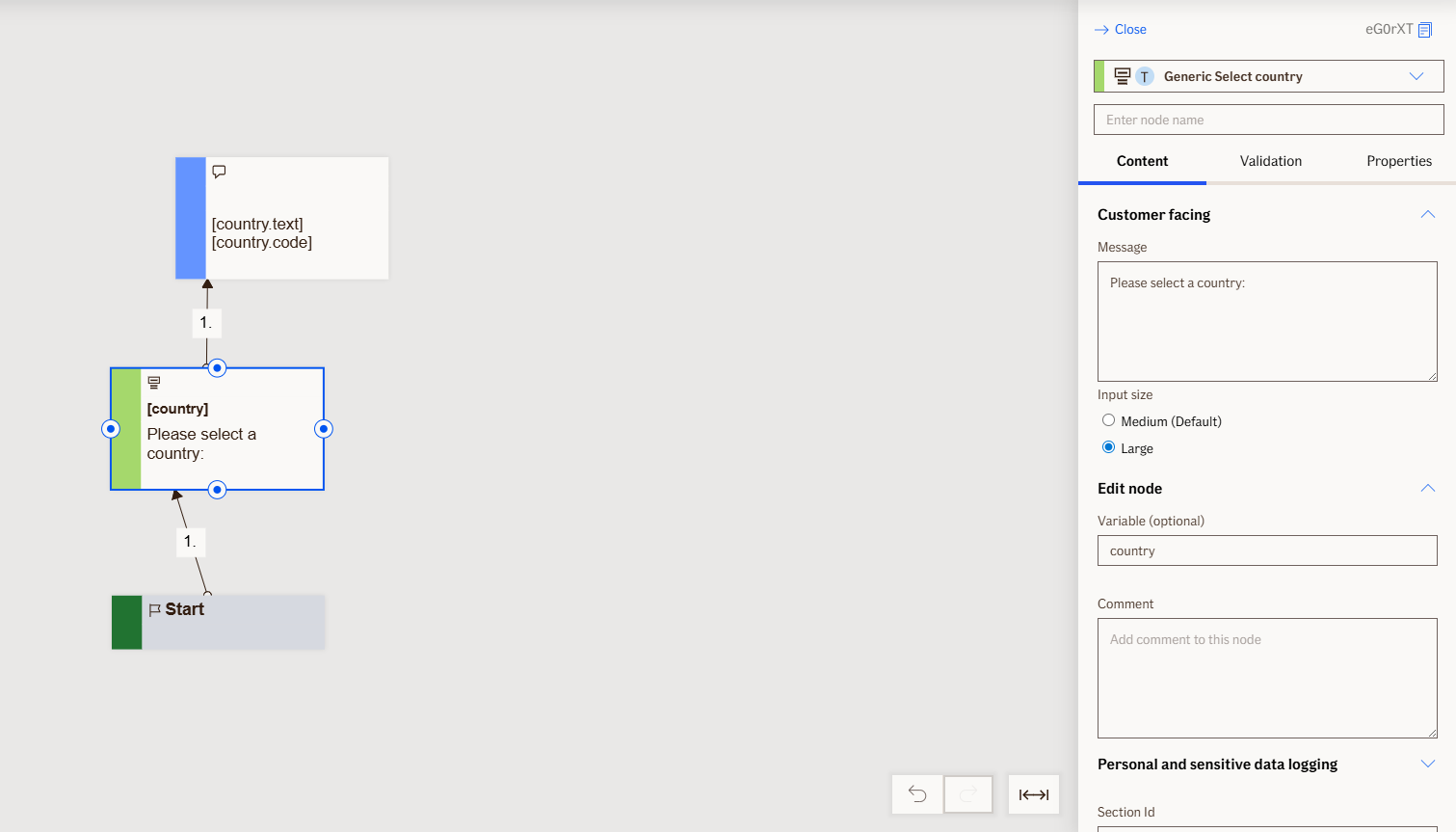
Select Country Node
Prompts the user to select their country from a predefined list. Use this node when the flow needs the user's country to determine localization, validation, or routing decisions.
Node is used exclusively for TellUs.
Use Case
Use this node when you need the customer to select a single country from a predefined, searchable list. For example:
- Determine locale or language for the flow
- Route the customer to regional services, forms, or support
- Apply country-specific validation, tax, or regulatory rules
- Prefill or validate address, shipping, or eligibility options
UI Examples
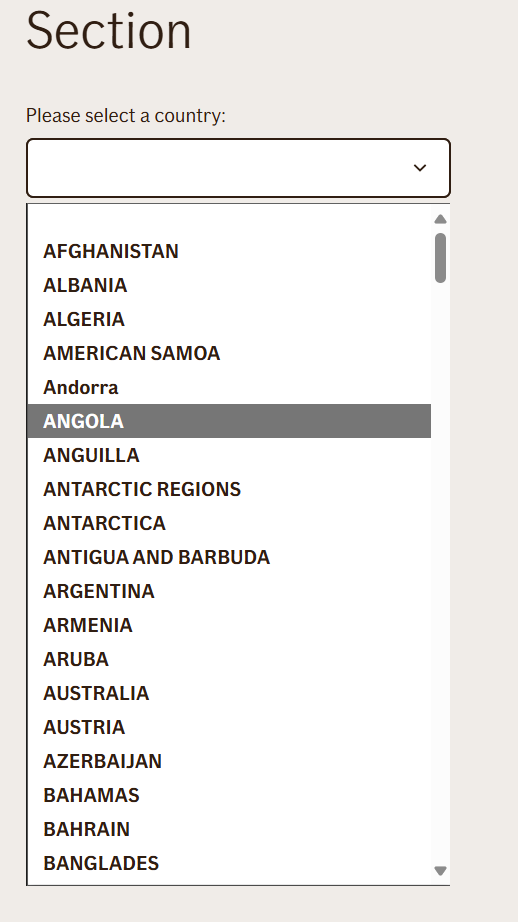
- TellUs
- WebChat
Not applicable
Behavior
- Blocking: the node waits for the user to type and submit a response
- Produces output: stores the input in combined output variables
code- country code andtext- country name. - Renders: country list dropdown
- Supports validation: can be marked as required/optional
- Moves to the next node after user submission
Node Metadata
| Property | Description |
|---|---|
| Node class | SelectCountryNode |
| MessageType | 27 |
| CanBeEdited | True |
| CanBeProcessedOnce | False |
| RequireUserResponse | Yes |
Input Properties
| Property | Description |
|---|---|
| inputPlaceholder |
|
| noResultsFoundMessage |
|
| allowAnyValue |
|
| inputSize | Sets input width for input field.
|
| defaultValidationMessage | The default error message shown when the input is invalid or missing. This is used if no custom validation message is provided.
|
| sectionId | Groups this node visually under a specific section in TellUs. When multiple nodes share the same |
| defaultValue | The initial value that is prefilled into the input field when the node is rendered. Useful for suggesting defaults or pre-populating known data. |
| isRequired | Determines whether the user must provide a value before continuing. If set to
|
| isRequiredValidationMessage | The error message shown when a required field is left empty. This overrides the default validation message when
|
Output Properties
| Property | Description |
|---|---|
| code | Outputs the selected country's alpha-2 code (e.g., |
| text | Outputs the full name of the selected country (e.g., |
Editor Example
This link opens a prebuilt flow using this node in context. You can inspect how it's configured, how it's connected, and how it behaves in a real editor environment.