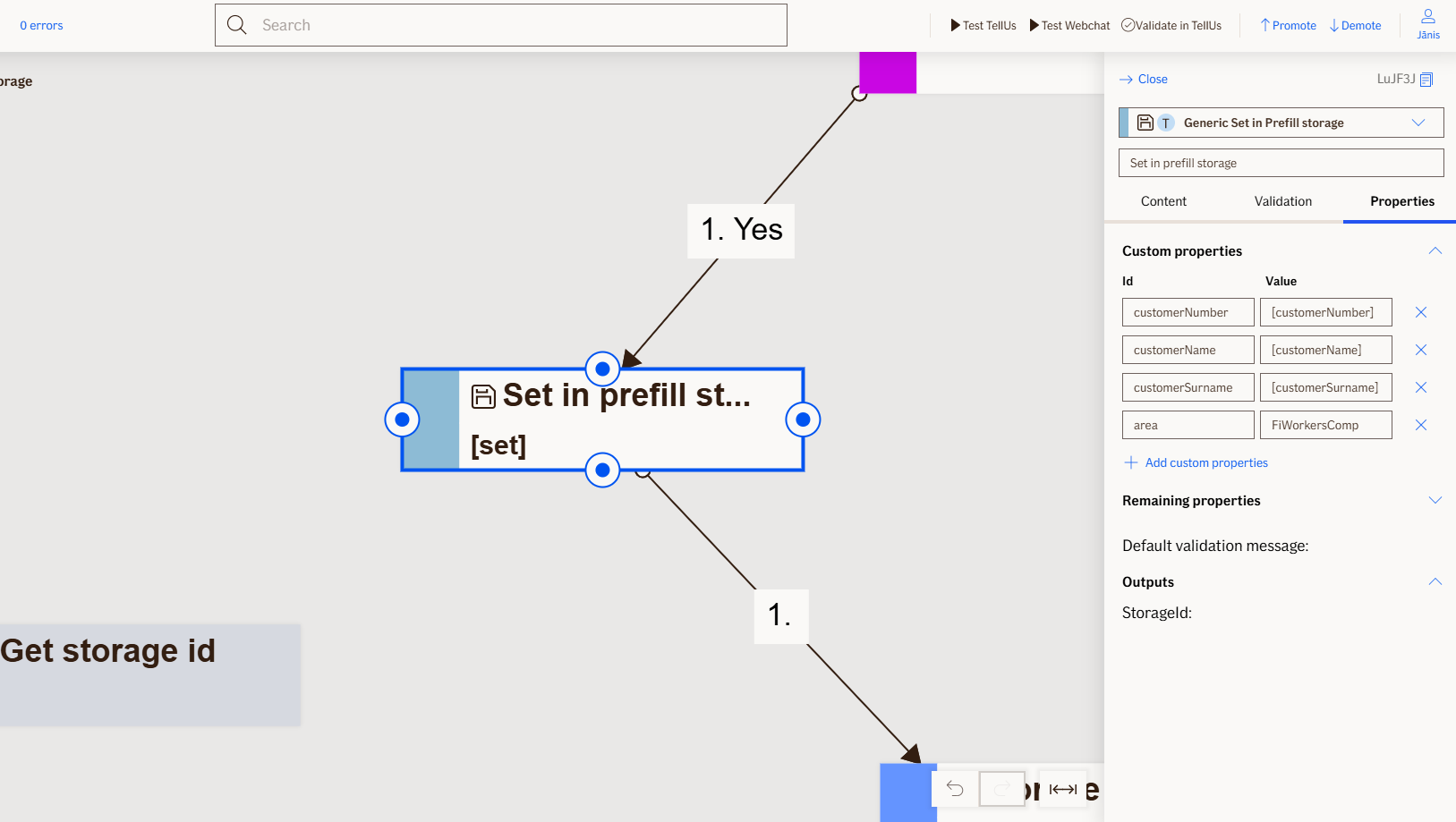
Set Prefill Storage Node
The Set Prefill Storage node saves custom property values to storage and returns a storage ID that can be used later to retrieve the data. This enables users to prefill information in subsequent flows without reentering the same data.
Node is used exclusively for TellUs.
Use Case
Use the Set Prefill Storage node when:
- You need to save custom property values during a flow for later retrieval.
- You want to prefill information in subsequent flows so users don't have to reenter the same data.
Don't use the Set Prefill Storage node when:
- You do not need to save any custom property values for later use.
UI Examples
- TellUs
- WebChat
Only output, no UI
Not applicable
Behavior
- Blocking: the node waits for property values to be saved to storage before proceeding
- Produces output: returns a storage ID that uniquely identifies the saved data, along with a status result (Ok or error)
- Supports validation: can be marked as required/optional; validates that properties are configured for storage
- Moves to the next node after the storage operation completes successfully
Node Metadata
| Property | Description |
|---|---|
| Node class | SetPrefillStorageNode |
| MessageType | 50 |
| CanBeEdited | True |
| CanBeProcessedOnce | False |
| RequireUserResponse | No |
Input Properties
| Property | Description |
|---|---|
| ValidityInDays | The number of days the saved prefill data will remain valid. After this period expires, the data cannot be retrieved and returns an
|
| StorageId | The unique identifier generated by the node to identify the saved property values. This storage ID is used with the Get Prefill Storage node to retrieve the previously saved data. |
| defaultValidationMessage | The default error message shown when the input is invalid or missing. This is used if no custom validation message is provided.
|
| sectionId | Groups this node visually under a specific section in TellUs. When multiple nodes share the same |
| defaultValue | The initial value that is prefilled into the input field when the node is rendered. Useful for suggesting defaults or pre-populating known data. |
| isRequired | Determines whether the user must provide a value before continuing. If set to
|
| isRequiredValidationMessage | The error message shown when a required field is left empty. This overrides the default validation message when
|
Output Properties
| Property | Description |
|---|---|
| StorageId | The unique identifier generated by the node after successfully saving property values to storage. Pass this storage ID to the Get Prefill Storage node to retrieve the saved data later. |
Editor Example
This link opens a prebuilt flow using this node in context. You can inspect how it's configured, how it's connected, and how it behaves in a real editor environment.