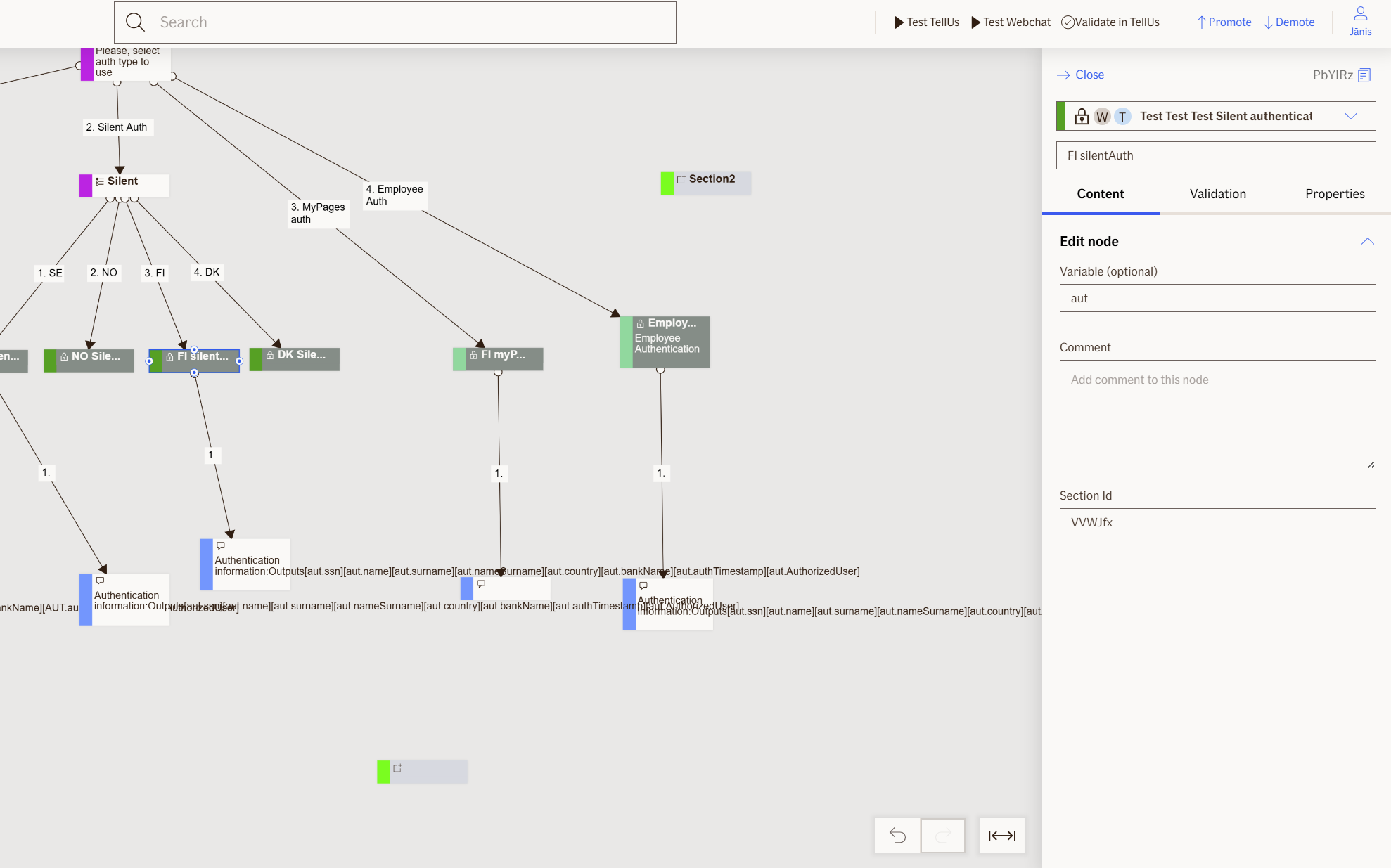
Silent Authentication Node
Silent Authentication is non visual node and it checks if a user is already signed in through their bank or national ID service (in Finland, Denmark, Sweden, or Norway). When a user is already authenticated via a supported provider before entering TellUs, this node allows them to proceed without requiring additional authentication steps.
Use Case
Use the Silent Authentication node when you want to:
- Allow users who are already authenticated via a supported bank or national ID service (in Finland, Denmark, Sweden, or Norway) to proceed without additional authentication steps.
- Improve user experience by reducing friction during the authentication process.
- Seamlessly integrate with existing authentication systems to verify user identity.
Don't use it when:
- Your application does not support users from Finland, Denmark, Sweden, or Norway.
- You require explicit user authentication for security or compliance reasons.
UI Examples
- TellUs
- WebChat
Only output, no UI
Only output, no UI
Behavior
- Blocking: the node waits for the user to be authenticated
- Produces output: creates multiple output properties based on user account details
- Supports validation: can be marked as required/optional
- Moves to the next node after authentication is confirmed
Node Metadata
| Property | Description |
|---|---|
| Node class | SilentAuthenticationNode |
| MessageType | 38 |
| CanBeEdited | False |
| CanBeProcessedOnce | False |
| RequireUserResponse | YesAutomaticResponse |
Input Properties
| Property | Description |
|---|---|
| defaultValidationMessage | The default error message shown when the input is invalid or missing. This is used if no custom validation message is provided.
|
| sectionId | Groups this node visually under a specific section in TellUs. When multiple nodes share the same |
| defaultValue | The initial value that is prefilled into the input field when the node is rendered. Useful for suggesting defaults or pre-populating known data. |
| isRequired | Determines whether the user must provide a value before continuing. If set to
|
| isRequiredValidationMessage | The error message shown when a required field is left empty. This overrides the default validation message when
|
Output Properties
| Property | Description |
|---|---|
| ssn | Social security number ( |
| name |
|
| surname |
|
| nameSurname |
|
| country |
|
| bankName |
|
| authTimestamp | Time stamp when the authentication occurred |
| AuthorizedUser | The |
| username |
|
| displayValue |
|
Editor Example
This link opens a prebuilt flow using this node in context. You can inspect how it's configured, how it's connected, and how it behaves in a real editor environment.