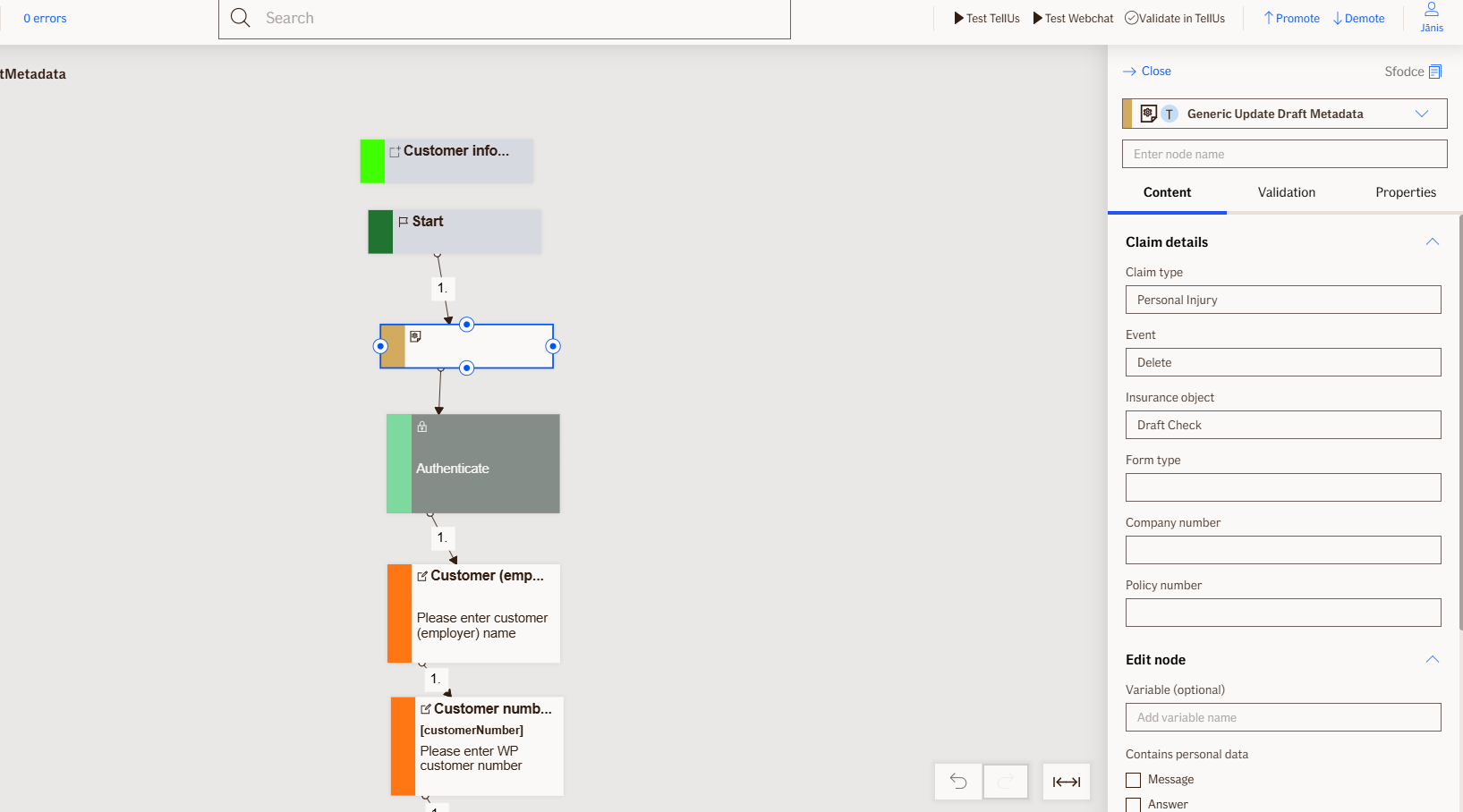
Update Draft Metadata Node
The Update Draft Metadata node updates an existing draft with additional information such as claim type, event, and insurance object details, ensuring the draft metadata stays current and relevant. Only provided fields are updated, empty fields are left unchanged, and the draft's save date is automatically refreshed.
Node is used exclusively for TellUs.
Use Case
Use the Update Draft Metadata node when:
- You need to update specific metadata fields of an existing draft without altering the customer's previously entered responses.
- You want to ensure that draft information such as claim type, event details, or insurance objects remains accurate and up-to-date as the customer progresses through the flow.
- You want to refresh the draft's save date automatically whenever metadata is updated, indicating the most recent modification time.
Do not use the Update Draft Metadata node when:
- You need to save the customer's entire progress and responses as a new draft; in this case, use the
Save Draftnode instead.
UI Examples
- TellUs
- WebChat
Only output, no UI
Not applicable
Behavior
- Blocking: the node waits for the draft metadata update to be processed before proceeding
- Produces output: updates the draft with provided claim type, event, and insurance object information, empty fields are skipped and retain existing values
- Supports validation: validates that the draft exists and the provided fields contain valid data
- Moves to the next node after the draft metadata has been successfully updated and the save date has been refreshed
Node Metadata
| Property | Description |
|---|---|
| Node class | UpdateDraftMetadataNode |
| MessageType | 51 |
| CanBeEdited | False |
| CanBeProcessedOnce | False |
| RequireUserResponse | No |
Input Properties
| Property | Description |
|---|---|
| claimType | ClaimType is a label that identifies what kind of insurance claim the draft represents (e.g., motor, property, health), helping customers recognize and continue the correct draft later. |
| event | Event is a label that describes what specific incident or situation the claim is about (e.g., accident, theft, damage), helping customers identify which draft to continue. |
| insuranceObject | InsuranceObject is a label that identifies what item or asset the claim relates to (e.g., car, house, phone), helping customers recognize which draft belongs to their specific insurance object. |
| companyNumber | Company number |
| policyNumber | Policy number |
| formType | Form type |
| defaultValidationMessage | The default error message shown when the input is invalid or missing. This is used if no custom validation message is provided.
|
| sectionId | Groups this node visually under a specific section in TellUs. When multiple nodes share the same |
| defaultValue | The initial value that is prefilled into the input field when the node is rendered. Useful for suggesting defaults or pre-populating known data. |
| isRequired | Determines whether the user must provide a value before continuing. If set to
|
| isRequiredValidationMessage | The error message shown when a required field is left empty. This overrides the default validation message when
|
Output Properties
No output properties.
Editor Example
This link opens a prebuilt flow using this node in context. You can inspect how it's configured, how it's connected, and how it behaves in a real editor environment.