Weak Authentication Node
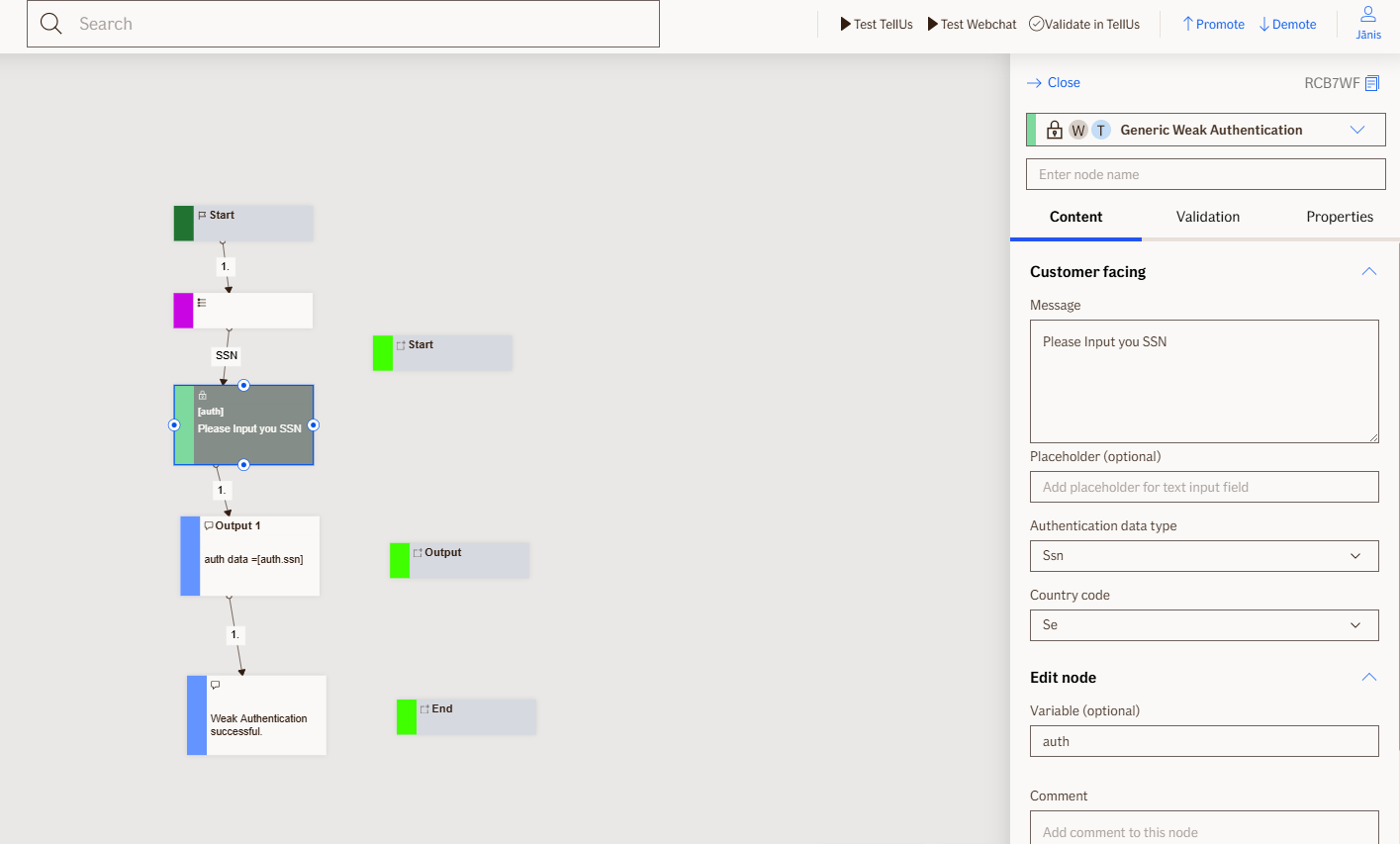
The Weak Authentication node enables basic customer identification in flows when strong authentication is not possible. It collects essential customer information (name, surname, SSN) through configurable input fields and is commonly used when claim handlers report claims on behalf of customers.
Use Case
Important Configuration Note:
To collect complete customer identification (name, surname, and SSN), configure three separate instances of this node in sequence. Each instance should use a different Authentication data type property to build a comprehensive authentication object.
Use weak authentication node when you want to:
- Collect basic identification information from customers who cannot use strong authentication.
- Have claim handlers report claims on behalf of customers.
- Gather multiple pieces of customer information (name, surname, SSN) in a structured way.
Don't use it when:
- Strong authentication methods are available and required.
- Handling sensitive operations that demand secure authentication.
- Implementing employee or internal user authentication (use
Employee Authenticationnode instead).
UI Examples
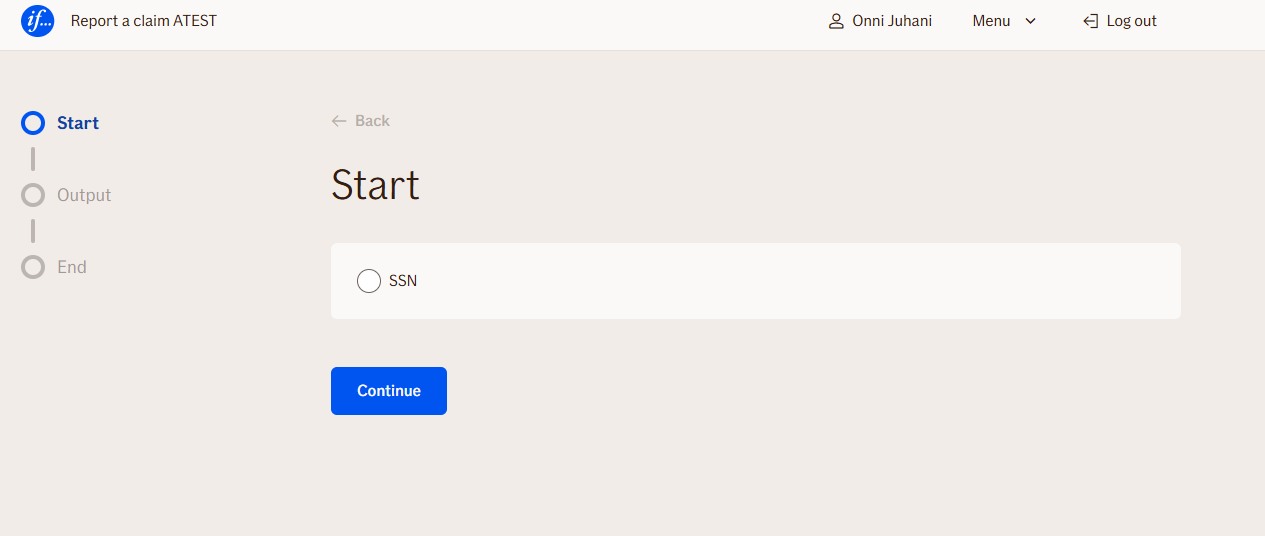
- TellUs
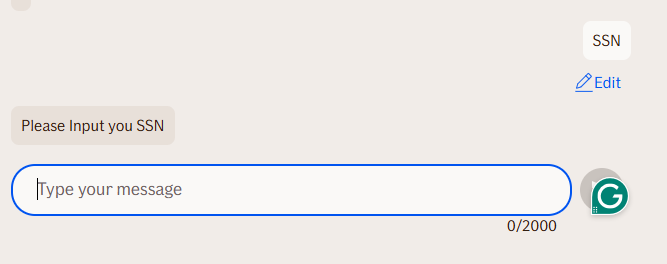
- WebChat
Behavior
- Blocking: the node waits for the user to type and submit a response
- Produces output: creates multiple output properties based on user account details
- Renders: input field
- Supports validation: can be marked as required/optional, supports input validation rules - numbers, text, date, custom regex and max length
- Moves to the next node after user submission
Node Metadata
| Property | Description |
|---|---|
| Node class | WeakAuthenticationNode |
| MessageType | 37 |
| CanBeEdited | True |
| CanBeProcessedOnce | False |
| RequireUserResponse | Yes |
Input Properties
| Property | Description |
|---|---|
| authenticationDataType | Authentication data type - describe what kind of information is requested to enter. On this parameter access logs records will also be written.
|
| ssnCountryCode | Specifies the country code used for Social Security Number (SSN) validation. This setting only takes effect when the Authentication data type is set to 'ssn'. The node will validate the entered SSN according to the format and rules of the specified country.
|
| toUpperCase | When enabled, the input text will be converted to uppercase letters.
|
| removeWhiteSpaces | Removes white spaces from the beginning and end of the input string.
|
| placeholder | Placeholder text displayed in the input field when empty, providing guidance to users about what to enter. By default, this matches the input field's label text.
|
| maxLengthValidationMessage | Max length validation message
|
| defaultValidationMessage | The default error message shown when the input is invalid or missing. This is used if no custom validation message is provided.
|
| sectionId | Groups this node visually under a specific section in TellUs. When multiple nodes share the same |
| defaultValue | The initial value that is prefilled into the input field when the node is rendered. Useful for suggesting defaults or pre-populating known data. |
| isRequired | Determines whether the user must provide a value before continuing. If set to
|
| isRequiredValidationMessage | The error message shown when a required field is left empty. This overrides the default validation message when
|
Output Properties
| Property | Description |
|---|---|
| ssn | Social security number ( |
| name |
|
| surname |
|
| nameSurname |
|
| country |
|
| bankName |
|
| authTimestamp | Time stamp when the authentication occurred |
| AuthorizedUser | The |
| username |
|
| displayValue |
|
Editor Example
This link opens a prebuilt flow using this node in context. You can inspect how it's configured, how it's connected, and how it behaves in a real editor environment.