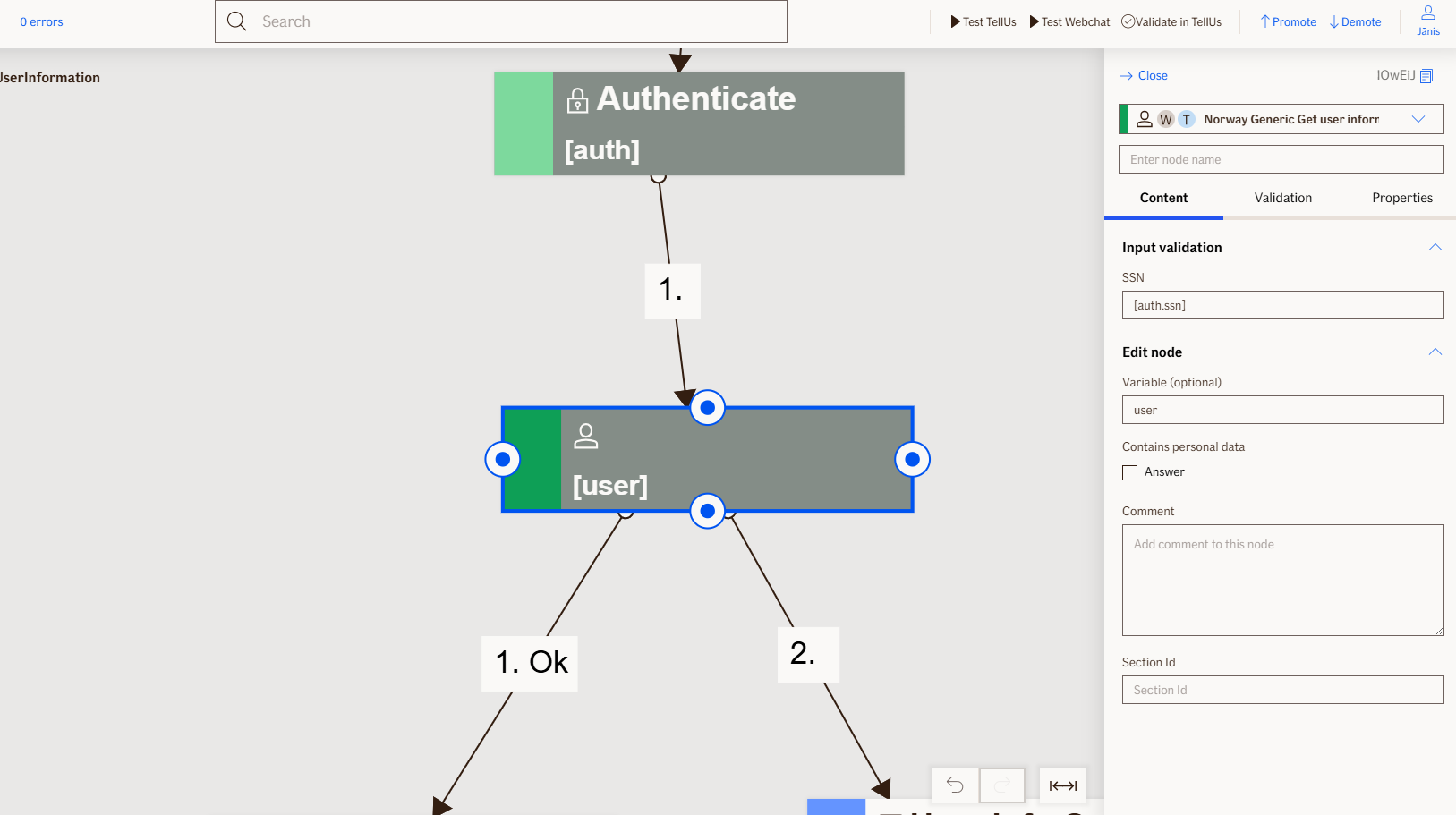
Get User Information Node
The Get User Information node retrieves user information from the system by using the user's Social Security Number (SSN). This node enables access to stored user data for identity verification and information retrieval within the flow.
Use Case
Use the Get User Information node when:
- You need to retrieve user details based on their Social Security Number (SSN).
- You want to verify a some information about a user stored in the system.
Don't use the Get User Information node when:
- You do not have access to the user's SSN.
- You need to retrieve user information outside of Norway.
UI Examples
- TellUs
- WebChat
Only output, no UI
Only output, no UI
Behavior
- Blocking: non blocking
- Produces output: retrieves and returns user details from the Norway system based on the provided SSN
- Supports validation: can be marked as required/optional
Node Metadata
| Property | Description |
|---|---|
| Node class | GetUserInformationNode |
| MessageType | 106 |
| CanBeEdited | False |
| CanBeProcessedOnce | False |
| RequireUserResponse | No |
Input Properties
| Property | Description |
|---|---|
| ssn | The Social Security Number (SSN) used to look up and retrieve the user's information from the Norway system. |
| defaultValidationMessage | The default error message shown when the input is invalid or missing. This is used if no custom validation message is provided.
|
| sectionId | Groups this node visually under a specific section in TellUs. When multiple nodes share the same |
| defaultValue | The initial value that is prefilled into the input field when the node is rendered. Useful for suggesting defaults or pre-populating known data. |
| isRequired | Determines whether the user must provide a value before continuing. If set to
|
| isRequiredValidationMessage | The error message shown when a required field is left empty. This overrides the default validation message when
|
Output Properties
| Property | Description |
|---|---|
| FamilyName | The family name or surname. |
| MiddleName | The middle name. |
| GivenName | The given name. |
| PhoneNumber | The phone number. |
The email address. | |
| StreetName | The street name of the address. |
| HouseNumber | The house number of the address. |
| PostalCode | The postal code of the address. |
| EntranceCode | The entrance code associated with the address. |
| PlaceName | The place name or city of the address. |
| StreetNumber | The street number of the address. |
| CustomerNumber | The unique customer number assigned in the Norway system. |
| userInformationData | The complete information object containing all retrieved details. |
| firstName | The first name. |
| surname | The surname or last name. |
Editor Example
This link opens a prebuilt flow using this node in context. You can inspect how it's configured, how it's connected, and how it behaves in a real editor environment.