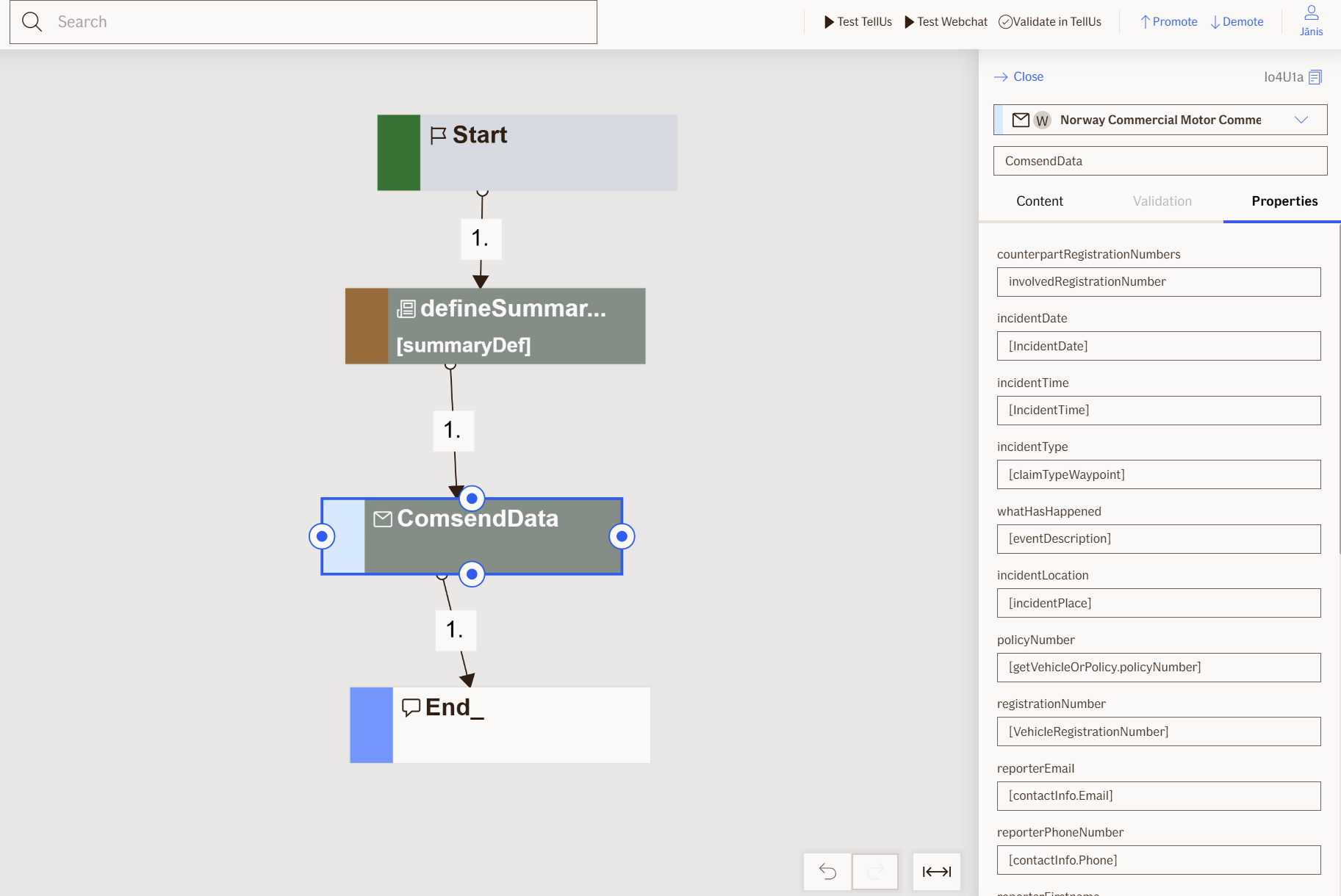
Send Data Node
The Send Data node is a non-visual commercial motor node that processes the claim information collected during the flow and sends it to multiple systems for storage and processing.
Use Case
Use the Send Data node when you want to:
- Submit a completed motor claim to the backend systems for processing and storage.
- Finalize a claim flow by storing the claim, registering it, and notifying relevant parties.
Don't use it when:
- The claim information is not fully collected; ensure all required inputs are provided.
- You need to send data to systems other than the claim processing backend.
- You already have another
Send Datanode executing in the same flow.
UI Examples
- TellUs
- WebChat
Only output, no UI
Only output, no UI
Behavior
When Send Data node is executed, it starts the following actions:
- Stores the claim
- Sends summary to Documentum
- Sends Compass attachments to Documentum
- Registers the claim in Athena
- Creates injured Fronten activity
Additional characteristics:
- Non-blocking: the node executes in the background without user interaction.
- Requires input: expects all collected claim information (policy, incident, claimant, witness details, attachments, etc.).
- Renders: no UI elements.
- No outputs: this is a final processing node; it does not produce variables for subsequent nodes.
Node Metadata
| Property | Description |
|---|---|
| Node class | SendDataNode |
| MessageType | 110 |
| CanBeEdited | False |
| CanBeProcessedOnce | True |
| RequireUserResponse | No |
Input Properties
| Property | Description |
|---|---|
| CounterpartRegistrationNumbers | The vehicle registration numbers of counterparts involved in the incident. |
| IncidentDate | The date when the incident occurred. |
| IncidentTime | The time when the incident occurred. |
| IncidentType | The type of incident that occurred. |
| WhatHasHappened | A description of what happened in the incident. |
| IncidentLocation | The location where the incident occurred. |
| PolicyNumber | The policy number related to the claim. |
| RegistrationNumber | The vehicle registration number involved in the incident. |
| ReporterEmail | The email address of the person reporting the claim. |
| ReporterPhoneNumber | The phone number of the person reporting the claim. |
| ReporterFirstname | The first name of the person reporting the claim. |
| ReporterSurname | The surname of the person reporting the claim. |
| ReporterSocialSecurityNumber | The social security number of the person reporting the claim. |
| SummaryDefinition | The definition of the claim summary to be sent. |
| PolicyHolderSocialSecurityNumber | The social security number of the policy holder. |
| CompassOwner | The owner of the Compass claim details. |
| IncidentCountryName | The name of the country where the incident occurred. |
| IncidentCountryId | The country ID where the incident occurred. |
| Tags | Tags to categorize or label the claim. |
| hasForeignCounterparts | Indicates whether there are counterparts from foreign countries involved. |
| injuredRole | The role of the injured party in the incident. |
| defaultValidationMessage | The default error message shown when the input is invalid or missing. This is used if no custom validation message is provided.
|
| sectionId | Groups this node visually under a specific section in TellUs. When multiple nodes share the same |
| defaultValue | The initial value that is prefilled into the input field when the node is rendered. Useful for suggesting defaults or pre-populating known data. |
| isRequired | Determines whether the user must provide a value before continuing. If set to
|
| isRequiredValidationMessage | The error message shown when a required field is left empty. This overrides the default validation message when
|
Output Properties
No output properties.
Editor Example
This link opens a prebuilt flow using this node in context. You can inspect how it's configured, how it's connected, and how it behaves in a real editor environment.