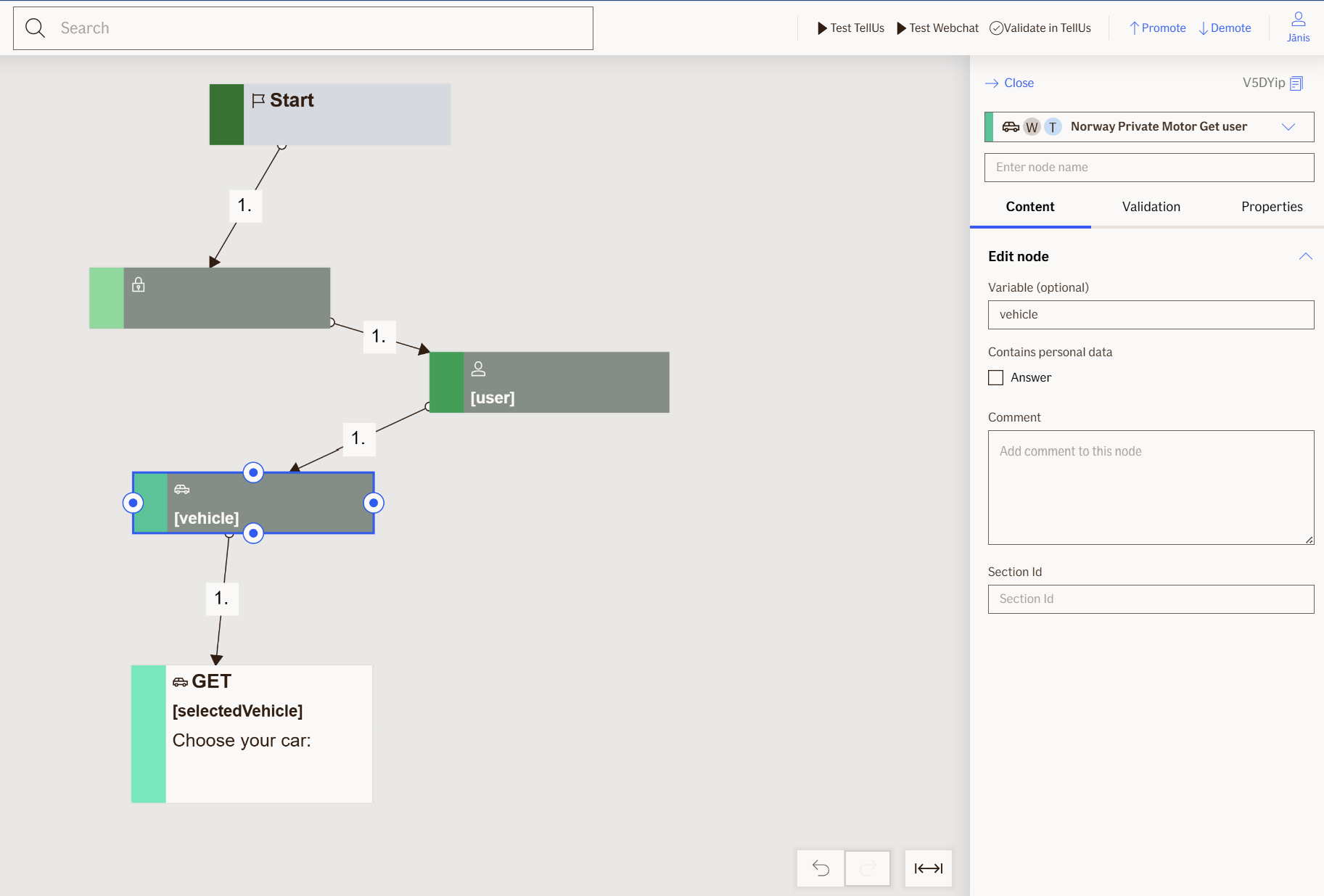
Show Vehicles Node
The Show Vehicles node displays a list of available vehicle policies to the user as selectable choices. When a user selects a vehicle, the node captures and stores the vehicle details (registration number, policy number, and coverage information) for use in subsequent nodes.
To retrieve vehicle information, use the Get Vehicles node before the Show Vehicles node.
Use Case
Use the Show Vehicles node when you want to:
- Present a list of customer vehicles for selection in a flow (e.g., choosing a vehicle for a claim or policy inquiry).
- Capture the customer's selected vehicle and store its details for use in downstream processing.
- Allow customers to view and interact with their vehicle policies in a user-friendly choice format.
Don't use it when:
- You need to retrieve vehicle data; use the
Get Vehiclesnode first to fetch the data. - The vehicle list is empty or unavailable; ensure
Get Vehiclesreturns results before displaying this node. - You need to display vehicles without requiring user selection.
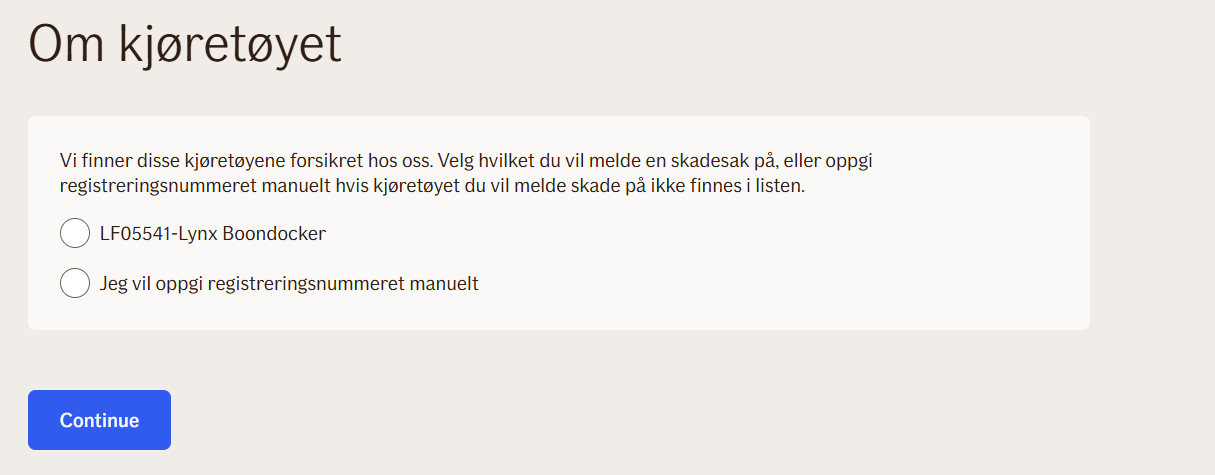
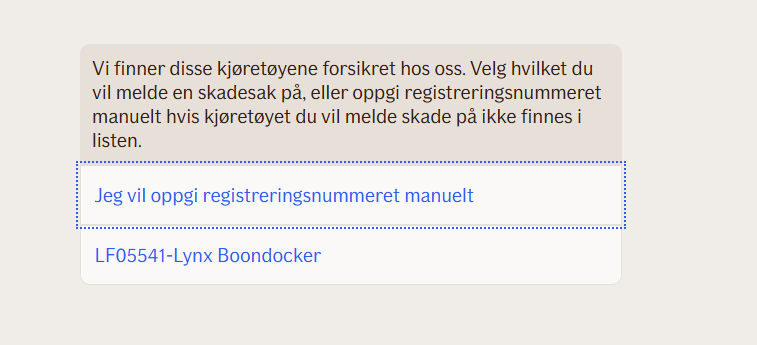
UI Examples
- TellUs
- WebChat
Behavior
- Blocking: the flow pauses until the user selects a vehicle from the list.
- Requires input: expects vehicle data from the
Get Vehiclesnode passed via theVehiclesDataproperty. - Produces output: stores the selected vehicle object and individual vehicle properties (registration number, policy number, machine damage coverage, rental car coverage, coverage code) in the value bag.
- Renders: displays a list of vehicles as selectable choices in the UI.
- Validation: ensures the user selects a valid vehicle from the available options; invalid selections trigger a validation message.
- Output handling: logs access data for each vehicle displayed; returns the chosen vehicle details for use in subsequent nodes.
Node Metadata
| Property | Description |
|---|---|
| Node class | ShowVehiclesNode |
| MessageType | 102 |
| CanBeEdited | True |
| CanBeProcessedOnce | False |
| RequireUserResponse | Yes |
Input Properties
| Property | Description |
|---|---|
| vehiclesData | A JSON-serialized list of vehicle policy objects from the |
| defaultValidationMessage | The default error message shown when the input is invalid or missing. This is used if no custom validation message is provided.
|
| sectionId | Groups this node visually under a specific section in TellUs. When multiple nodes share the same |
| defaultValue | The initial value that is prefilled into the input field when the node is rendered. Useful for suggesting defaults or pre-populating known data. |
| isRequired | Determines whether the user must provide a value before continuing. If set to
|
| isRequiredValidationMessage | The error message shown when a required field is left empty. This overrides the default validation message when
|
Output Properties
| Property | Description |
|---|---|
| machineDamageIncluded | Indicates whether machine damage coverage is included in the selected vehicle's policy. Shows if the vehicle is covered for machine damage. |
| rentalCarIncluded | Indicates whether rental car coverage is included in the selected vehicle's policy. Shows if the vehicle is covered for rental car services. |
| coverageCode | The coverage code for the selected vehicle's policy. This identifies the type of insurance coverage applied to the vehicle. |
| chosenVehicle | The complete vehicle object selected by the user. Contains all vehicle details including registration number, model, year, coverage information, and policy details. |
| carPolicyNumber | The policy number associated with the selected vehicle. This is the unique identifier for the vehicle's insurance policy. |
| selectedVehicleRegistrationNumber | The registration number of the vehicle selected by the user. This is the unique identifier printed on the vehicle's registration plate. |
Editor Example
This link opens a prebuilt flow using this node in context. You can inspect how it's configured, how it's connected, and how it behaves in a real editor environment.