Country Node
The Country node displays a filtered list of countries based on the letter typed by the user and allows them to select a country. When a country is selected, both the country code and name are saved for use in subsequent nodes.
Node is only available for Web Chat use
Use Case
Use the Country node when you want to:
- Allow the user to select a travel destination country in a quick and intuitive way.
- Filter the list of countries based on the first letter the user types to narrow down options.
- Capture the country code and country name for use in travel claim or policy inquiry flows.
Don't use it when:
- You need to allow free text input of country names; this node requires letter-based selection.
- The country information is already known and available in the flow; skip this node if the value is predetermined.
- You need to select multiple countries at once; this node allows single country selection.
UI Examples
- TellUs
- WebChat
Not applicable

Behavior
Behavioral characteristics
- Blocking node: The flow pauses and waits for the user to select a country.
- User input required: The user must enter at least one letter to filter the country list, then select a country from the filtered results.
- No default value: If no country is selected, the flow cannot proceed.
- Output values: When a country is selected, the node saves two values:
countryCode— The ISO 3166-1 alpha-2 country code (for example, "ES" for Spain, "IT" for Italy).countryName— The full country name (for example, "Spain", "Italy").
- Validation: The node requires a valid country selection; the flow will not advance until a country is chosen.
Node Metadata
| Property | Description |
|---|---|
| Node class | CountryNode |
| MessageType | 123 |
| CanBeEdited | True |
| CanBeProcessedOnce | False |
| RequireUserResponse | Yes |
Input Properties
| Property | Description |
|---|---|
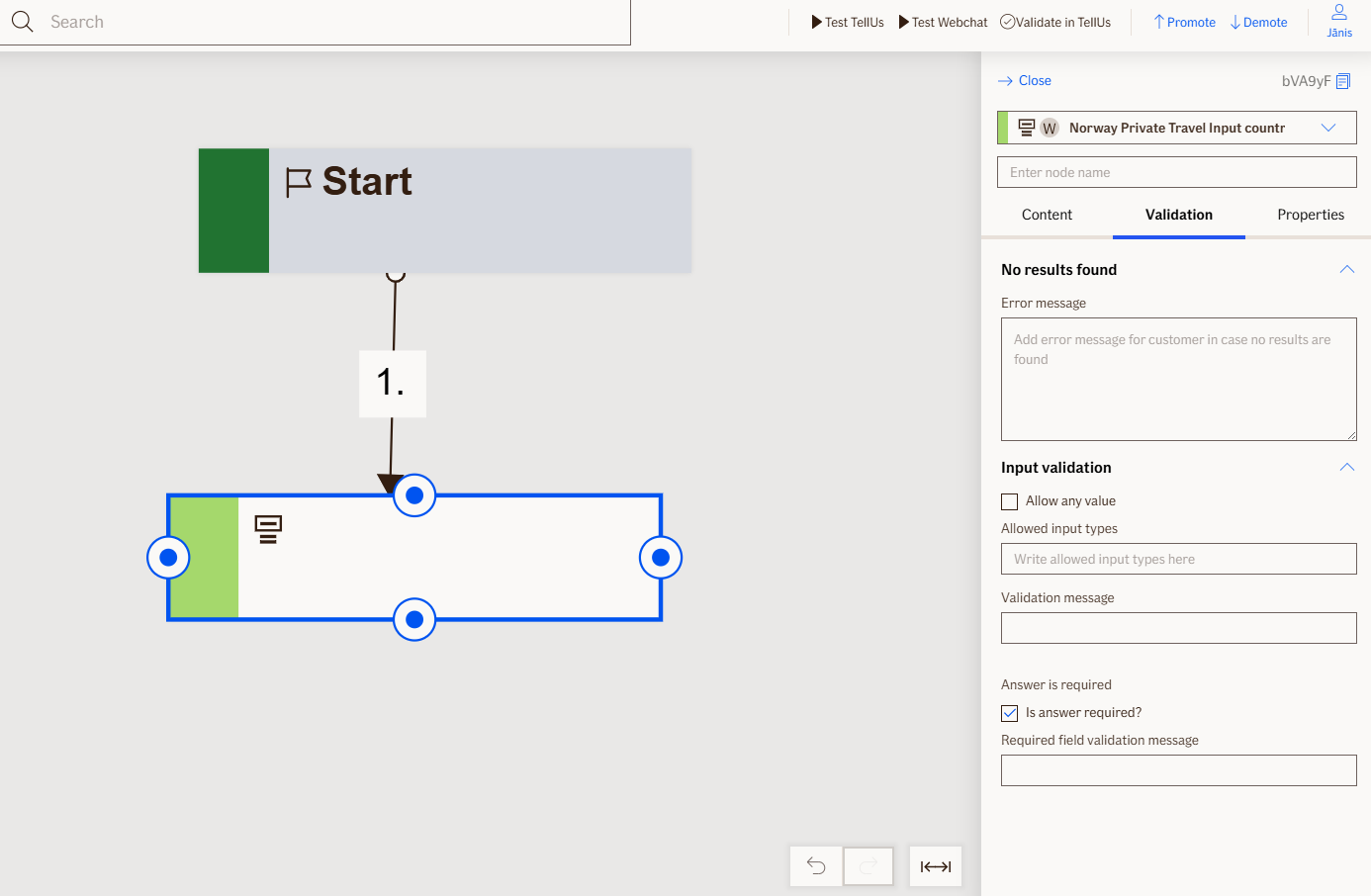
| inputPlaceholder | Placeholder text displayed in the input field to guide the user (for example, 'Type country name or letter').
|
| noResultsFoundMessage | Message displayed when the user's letter input matches no countries (for example, 'No countries found').
|
| allowAnyValue | When enabled, the country list includes all countries available; when disabled, only predefined travel destinations are shown.
|
| inputSize | The width of the input field; adjusts the visual size of the control on the screen.
|
| defaultValidationMessage | The default error message shown when the input is invalid or missing. This is used if no custom validation message is provided.
|
| sectionId | Groups this node visually under a specific section in TellUs. When multiple nodes share the same |
| defaultValue | The initial value that is prefilled into the input field when the node is rendered. Useful for suggesting defaults or pre-populating known data. |
| isRequired | Determines whether the user must provide a value before continuing. If set to
|
| isRequiredValidationMessage | The error message shown when a required field is left empty. This overrides the default validation message when
|
Output Properties
| Property | Description |
|---|---|
| code | The ISO 3166-1 alpha-2 country code of the selected country (for example, 'ES' for Spain, 'IT' for Italy). |
| text | The full name of the selected country (for example, 'Spain', 'Italy', 'France'). |
Editor Example
This link opens a prebuilt flow using this node in context. You can inspect how it's configured, how it's connected, and how it behaves in a real editor environment.