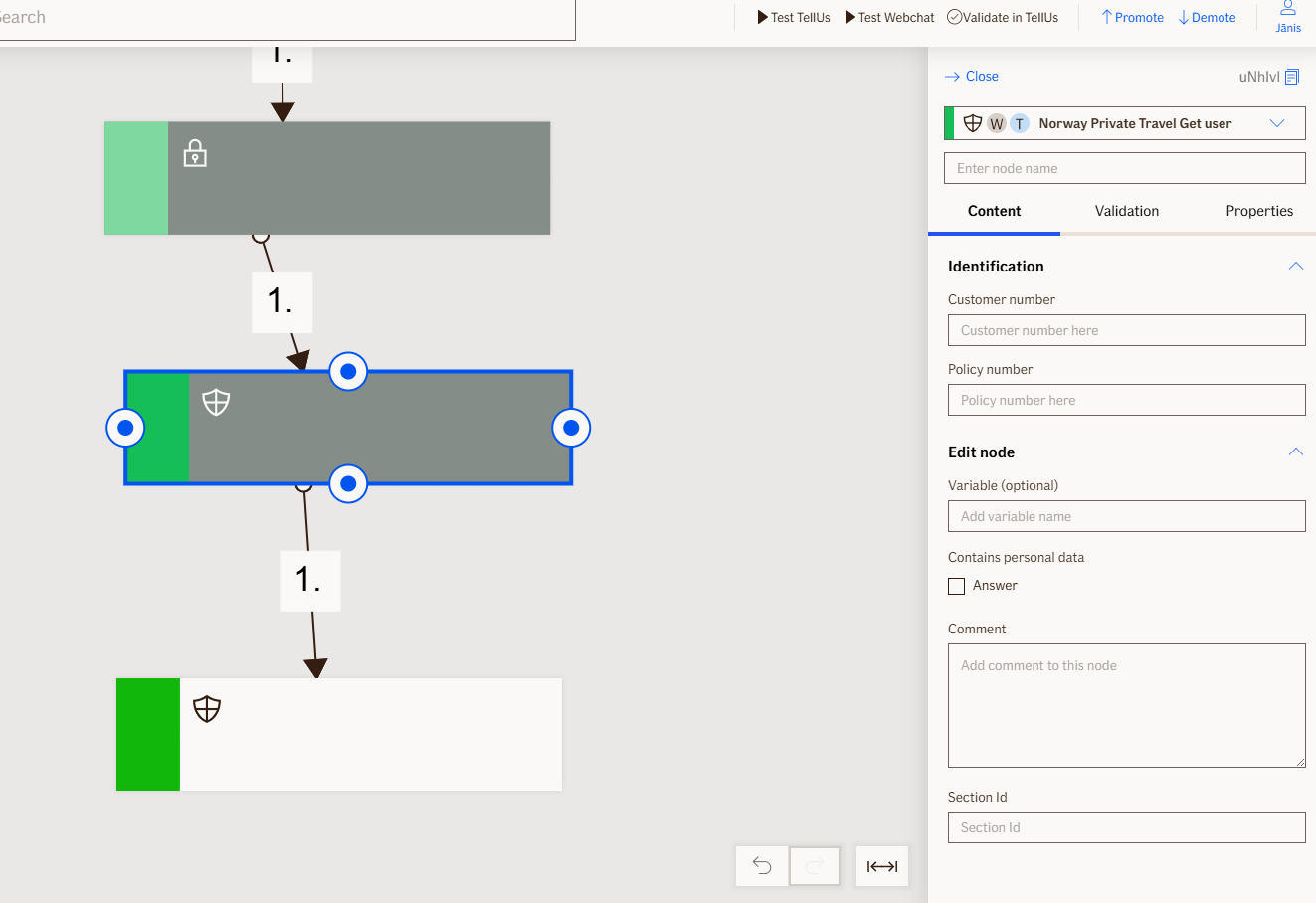
Get Policies Node
The Get Policies node searches for travel insurance policies using customer number, policy number, or customer authentication. This non-visual node retrieves matching policies and returns policy details and policy count for use in subsequent nodes in the flow.
To display policy information to the user, use the Show Policies node after retrieving the data with the Get Policies node.
Use Case
Use the Get Policies node when you want to:
- Retrieve travel insurance policies for a customer based on their customer number, policy number, or authenticated identity.
- Fetch policy details and coverage information to display available travel policies in a flow.
- Search for policies within a specific time period (default 30 days) based on policy validity dates.
Don't use it when:
- You need to retrieve motor or other insurance types; this node is specific to travel policies.
- None of the required search parameters (customer number, policy number, or authentication) are available.
- You need to retrieve policies with a validity period different from the default 30 days without input customization.
UI Examples
- TellUs
- WebChat
Only output, no UI
Only output, no UI
Behavior
- Non-blocking: the node executes in the background without user interaction.
- Requires input: expects at least one of the following: customer number, policy number, or customer authentication.
- Produces output: returns a list of matching travel policies with policy count and individual policy details.
- Renders: no UI elements.
- Validation: logs error and returns
SearchDataNotProvidedstatus if no search parameters are available. - Policy filtering: filters policies by validity date (default 30 days unless otherwise specified) and returns the most recent matching policy if multiple are found.
- Output handling: returns
Okstatus with policy data if policies found,Notstatus if no policies match the search criteria.
Node Metadata
| Property | Description |
|---|---|
| Node class | GetPoliciesNode |
| MessageType | 121 |
| CanBeEdited | False |
| CanBeProcessedOnce | False |
| RequireUserResponse | No |
Input Properties
| Property | Description |
|---|---|
| customerNumber | The customer number to search for travel policies. |
| policyValidDaysAgo | The number of days to look back for valid policies (default 30 days).
|
| policyNumber | The policy number to search for a specific travel policy. |
| defaultValidationMessage | The default error message shown when the input is invalid or missing. This is used if no custom validation message is provided.
|
| sectionId | Groups this node visually under a specific section in TellUs. When multiple nodes share the same |
| defaultValue | The initial value that is prefilled into the input field when the node is rendered. Useful for suggesting defaults or pre-populating known data. |
| isRequired | Determines whether the user must provide a value before continuing. If set to
|
| isRequiredValidationMessage | The error message shown when a required field is left empty. This overrides the default validation message when
|
Output Properties
| Property | Description |
|---|---|
| policyCount | The number of travel policies found for the customer. |
| policyData | The complete list of travel policies retrieved from the search. |
| policyType | The type of travel policy. |
| chosenPolicy | The travel policy selected or returned by the search. |
| policyNumber | The policy number of the retrieved travel policy. |
| personType | The type of person the policy covers. |
| productCode | The product code for the travel insurance product. |
| productName | The name of the travel insurance product. |
| policyHolderSsn | The social security number of the policy holder. |
| policyHolderCustomerNumber | The customer number of the policy holder. |
| coverageType | The type of coverage provided by the travel policy. |
| productArea | The product area classification for the travel insurance. |
| productSubCode | The sub-code classification for the travel insurance product. |
Editor Example
This link opens a prebuilt flow using this node in context. You can inspect how it's configured, how it's connected, and how it behaves in a real editor environment.