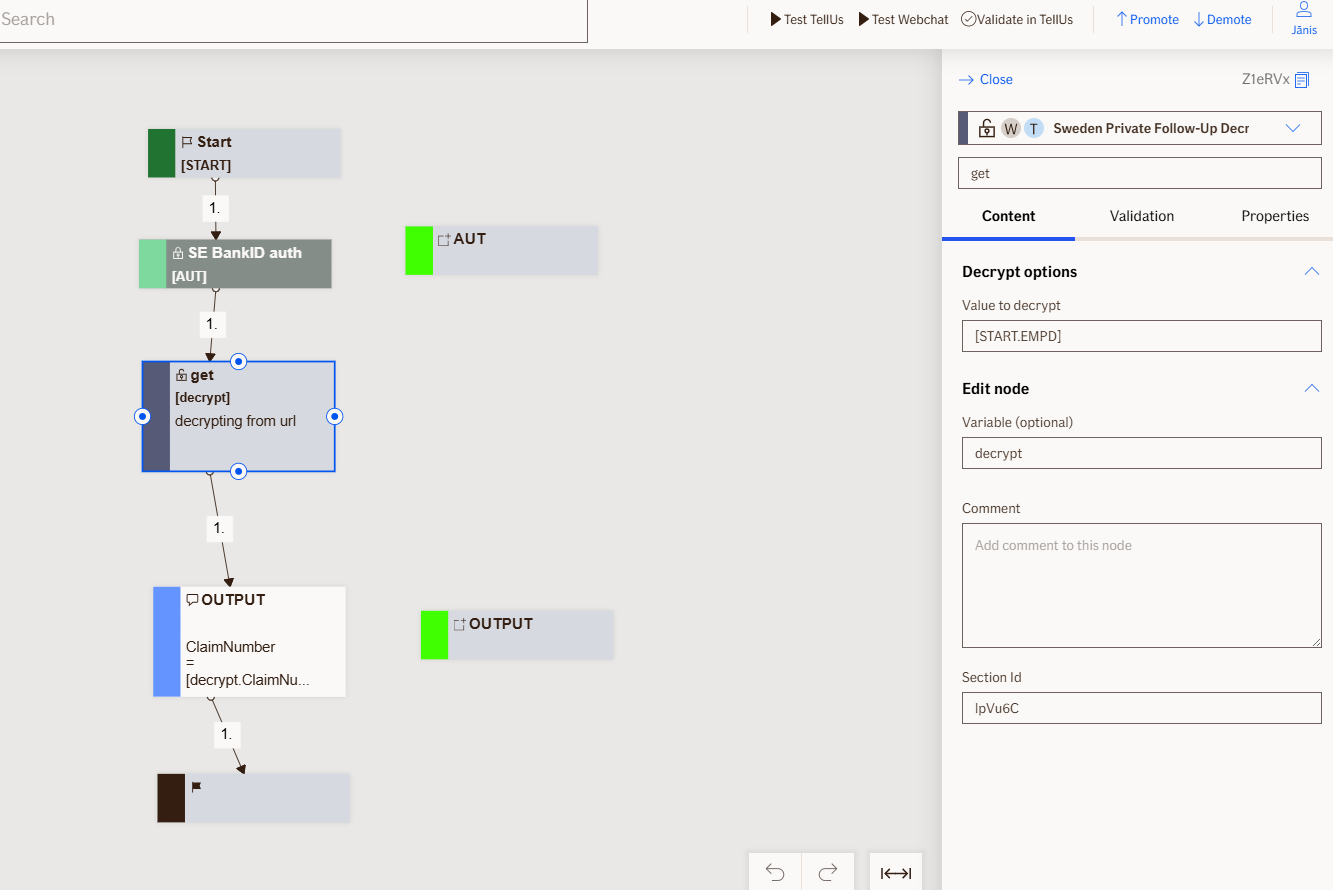
Decrypt Node
The Decrypt node is a non-visual node that decrypts an AES-encrypted string (typically provided via the EncryptedMyPagesData / EMPD URL parameter) and deserializes the result into a FollowUpData object for downstream processing.
Use Case
- Use this node when you receive an encrypted value from an service and need to turn it into readable data inside the flow.
- Use it to unlock small, structured information (for example: claim or customer details) so the flow can show the right screens, prefill forms, or route the user to the correct service.
UI Examples
- TellUs
- WebChat
Only output, no UI
Only output, no UI
Behavior
- Blocking: the node gets variable which contains encrypted string as input and waits until decryption is done.
- Produces output: encrypted object is split into multiple variables - ClaimNumber, ClaimCoreSystem, ActivitySystemIndicator, CustomerNumber, PolicyNumber, FrontenUserId.
- Renders: nothing.
- Supports validation: N/A
- Moves to the next node straight away after decryption is done
Node Metadata
| Property | Description |
|---|---|
| Node class | DecryptNode |
| MessageType | 31 |
| CanBeEdited | False |
| CanBeProcessedOnce | False |
| RequireUserResponse | No |
Input Properties
| Property | Description |
|---|---|
| EncryptedValue | Encrypted value from EMPD url parameter, coming from MyPages. |
| defaultValidationMessage | The default error message shown when the input is invalid or missing. This is used if no custom validation message is provided.
|
| sectionId | Groups this node visually under a specific section in TellUs. When multiple nodes share the same |
| defaultValue | The initial value that is prefilled into the input field when the node is rendered. Useful for suggesting defaults or pre-populating known data. |
| isRequired | Determines whether the user must provide a value before continuing. If set to
|
| isRequiredValidationMessage | The error message shown when a required field is left empty. This overrides the default validation message when
|
Output Properties
| Property | Description |
|---|---|
| ClaimNumber | Users claim number - |
| ClaimCoreSystem | Claim core system identifier - |
| ActivitySystemIndicator | Activity system indicator - |
| CustomerNumber | Customer number - |
| PolicyNumber | Policy number - |
| FrontenUserId | Fronten user id - |
Editor Example
This link opens a prebuilt flow using this node in context. You can inspect how it's configured, how it's connected, and how it behaves in a real editor environment.